

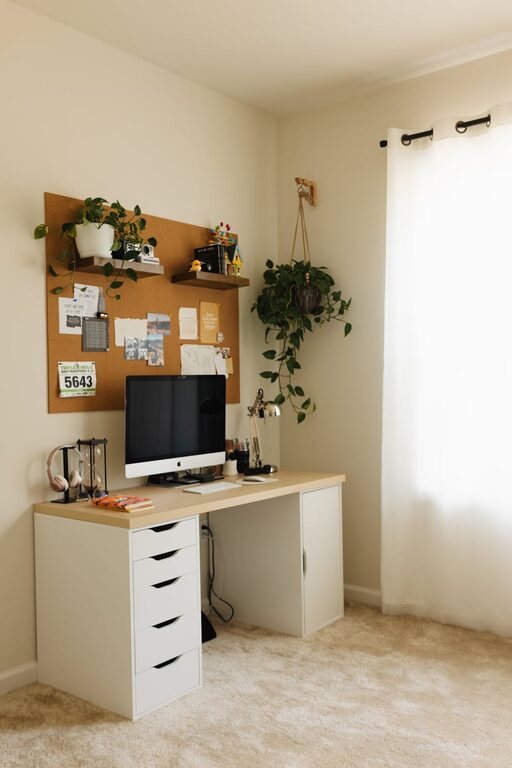
Creating a cozy and functional home workspace can make a significant difference in your productivity and overall well-being. Whether you work remotely full-time or just need a spot for occasional tasks, having a dedicated area tailored to your needs can boost focus and reduce stress. In this post, we explore practical tips to help you design a workspace that balances comfort with efficiency.
Choose the Right Location
Finding the perfect spot in your home for a workspace is the first step. Ideally, this should be a quiet area with minimal distractions. Here are some considerations when picking a location:
– Natural Light: Position your desk near a window if possible. Natural light improves mood and reduces eye strain.
– Noise Levels: Avoid places with heavy foot traffic or loud appliances to maintain concentration.
– Space Availability: Look for a spot that allows enough room for your desk, chair, and storage without feeling cramped.
Invest in Ergonomic Furniture
Comfort is key for long hours at your desk. Ergonomic furniture supports your posture and prevents discomfort.
– Chair: Choose a chair with adjustable height, lumbar support, and cushioning. Sitting comfortably helps avoid back and neck pain.
– Desk: Pick a desk at a height where your arms can rest naturally while typing. If space allows, consider a sit-stand desk for flexibility.
– Accessories: Use an external keyboard and mouse if working with a laptop to position your screen at eye level.
Optimize Lighting
Good lighting reduces eye strain and keeps you alert.
– Layered Lighting: Combine ambient, task, and accent lighting. A desk lamp with adjustable brightness is valuable for detailed work.
– Placement: Avoid glare by positioning your screen perpendicular to windows or bright light sources.
– Warm vs. Cool Light: Cooler lights (around 5000K) enhance focus, while warmer lights (around 2700K) create a relaxing atmosphere.
Organize and Declutter
A tidy workspace promotes clarity and efficiency.
– Storage Solutions: Use shelves, drawers, and organizers to keep supplies and documents within reach but out of sight.
– Cable Management: Use clips or channels to prevent cords from tangling and cluttering your desk.
– Minimal Decor: Keep decorations simple and meaningful to avoid distractions.
Personalize Your Space
Adding personal touches can make your workspace inviting and motivate you to spend time there.
– Plants: Indoor plants improve air quality and add a calming natural element.
– Art and Photos: Display artwork or pictures that inspire you.
– Comfort Items: Include a cozy throw, cushion, or a favorite mug to enhance comfort.
Utilize Technology Wisely
The right tech can streamline your work without overwhelming your space.
– Monitors: A large or dual monitor setup can improve workflow.
– Headphones: Noise-cancelling headphones help minimize distractions.
– Apps: Use productivity apps and timers to manage your tasks effectively.
Maintain Boundaries
Separating work from home life improves focus and wellbeing.
– Dedicated Area: Limit work to your designated space to psychologically separate professional tasks from leisure.
– Set Hours: Maintain a regular schedule to avoid overworking.
– Breaks: Include short breaks and stretch periodically to stay refreshed.
Keep It Flexible
Your needs may change over time, so design a workspace that can adapt.
– Modular Furniture: Use pieces that can be rearranged or repurposed.
– Multipurpose Space: If the room serves other functions, use room dividers or foldable desks to create boundaries when needed.
—
Creating a cozy and functional home workspace is a blend of thoughtful design, comfort, and organization. By choosing the right location, investing in ergonomic furniture, controlling lighting, and personalizing your setup, you can build an environment that supports your productivity and well-being. Remember to maintain clear boundaries and keep your space adaptable as your work style evolves.
With these tips, your home office can become a place you enjoy working in every day.