

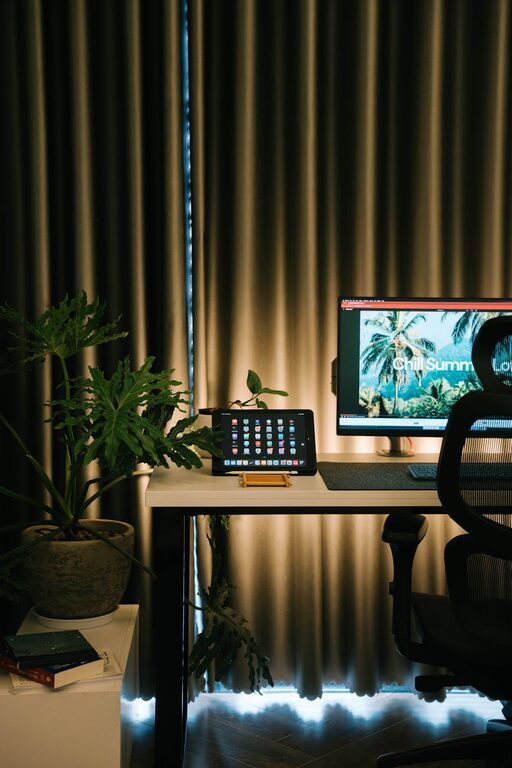
Creating a home workspace that is both cozy and productive can transform your work-from-home experience. A well-designed space helps you stay focused, reduces stress, and encourages creativity. Whether you have a dedicated room or just a corner of your living area, these tips will help you design an environment where work feels enjoyable and efficient.
Choose the Right Location
Find a Quiet Spot
Start by selecting a quiet area in your home, away from distracting noises like the television or kitchen activity. If possible, choose a room with a door you can close to minimize interruptions.
Consider Natural Light
Natural light improves mood and energy levels. Set up your workspace near a window to benefit from daylight. If this isn’t possible, invest in quality lighting that mimics natural light to reduce eye strain.
Invest in Comfortable Furniture
Ergonomic Chair
A comfortable, supportive chair is essential. Look for an ergonomic design with adjustable height and lumbar support to prevent back pain during long work hours.
Practical Desk
Choose a desk that fits your needs and space. Whether it’s a large surface for multiple monitors or a compact desk for a laptop, ensure it fits your workflow comfortably.
Organize for Efficiency
Declutter Regularly
Keep your workspace tidy by putting away items you don’t need daily. A clutter-free desk promotes focus and reduces stress.
Use Storage Solutions
Utilize shelves, drawers, or desk organizers to keep supplies like pens, papers, and chargers neatly arranged and within reach.
Cable Management
Tidy up cables with clips or sleeves. Organized cords reduce distractions and make your space look cleaner.
Personalize Your Space
Add Plants
Indoor plants not only brighten up your workspace but can also improve air quality and reduce stress.
Incorporate Comfort Items
Consider adding a soft blanket, good-quality cushions, or a small rug to make your workspace inviting.
Display Inspiration
Have a bulletin board or a few framed pictures that inspire or motivate you. Avoid overcrowding, but a personal touch can boost creativity.
Optimize Technology
Reliable Equipment
Use reliable hardware, such as a fast computer, quality headphones, and a dependable internet connection to avoid disruptions.
Manage Screen Time
Position your monitor at eye level to prevent neck strain. Use software tools to reduce blue light exposure, especially if you work late hours.
Establish Boundaries
Set Work Hours
Define clear start and end times for your workday to help maintain work-life balance.
Communicate with Household Members
Let others in your home know your schedule to minimize interruptions during focus time.
Incorporate Movement
Take Regular Breaks
Stand up, stretch, or walk every hour to reduce fatigue and maintain focus.
Consider a Standing Desk
If possible, use a sit-stand desk or create a setup that allows you to alternate between sitting and standing.
Control Noise Levels
Use Noise-Canceling Headphones
Block out distractions with noise-canceling headphones or listen to focus-enhancing music or white noise.
Add Soft Textiles
Soft materials like rugs, curtains, and cushions absorb sound and reduce echo, making your workspace quieter.
Maintain Good Air Quality
Ventilation
Keep your workspace well-ventilated. Fresh air helps keep you alert and prevents stuffiness.
Air Purifiers
Consider an air purifier if your workspace tends to collect dust or smells.
Final Thoughts
Creating a cozy and productive home workspace is about balancing comfort with function. Small changes like better lighting, ergonomic furniture, and personal touches can make a big difference in how you feel and perform throughout your day. Experiment with your setup until you find a configuration that works best for your needs.
With the right environment, your home workspace can become a place where you look forward to working — a space that supports both your comfort and your success.