

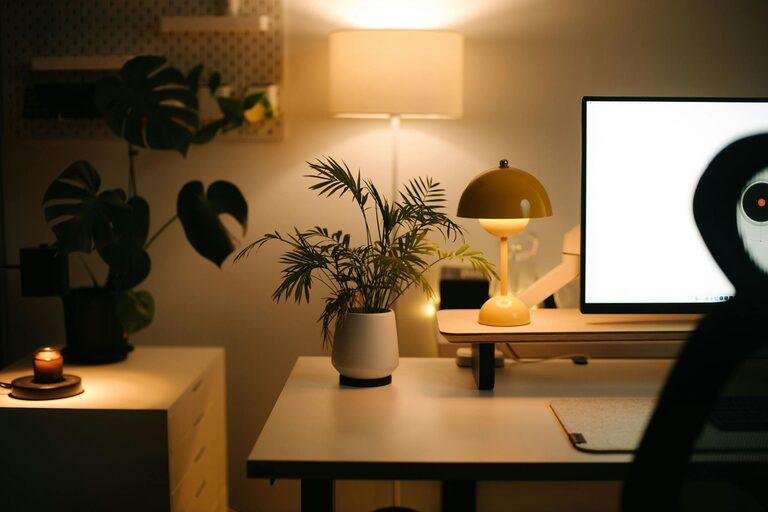
Creating a home office that balances coziness with functionality can transform your work-from-home experience. Whether you have a dedicated room or just a small corner, designing a space that supports your productivity and comfort is essential. This guide offers tips to help you build a home office that feels inviting while keeping you organized and focused.
Choose the Right Location
Selecting the ideal spot for your home office is the first step. Consider these factors:
– Natural Light: Aim for a space near windows to benefit from natural light, which can improve mood and reduce eye strain.
– Quiet Environment: Look for a low-traffic area with minimal distractions to help maintain concentration.
– Space Availability: Even a small nook can work if organized well, but ensure there’s enough room for your desk, chair, and storage needs.
Invest in Comfortable and Ergonomic Furniture
Comfort is key when setting up your office. Spending long hours seated means your chair and desk should promote good posture.
– Ergonomic Chair: Choose a chair with adjustable height, lumbar support, and cushioned seating.
– Desk Size: Pick a desk that fits your equipment without overcrowding, leaving room to write or spread out documents.
– Standing Desk Option: If possible, consider a sit-stand desk to alternate your working position throughout the day.
Organize with Purpose
Keeping your workspace tidy boosts productivity and reduces stress.
– Use Storage Solutions: Shelves, drawers, and filing cabinets help keep clutter off your desk.
– Cable Management: Use clips or cable trays to keep cords neat and prevent tangling.
– Desk Organizers: Pen holders, trays, and small bins can keep tools and paperwork orderly.
Add Personal and Cozy Touches
Creating a space you enjoy working in can make a big difference in motivation.
– Soft Lighting: Complement overhead lights with desk lamps or string lights for a warm ambiance.
– Plants: Incorporating greenery adds freshness and can improve air quality.
– Textiles: A soft rug, cushions, or a cozy throw can make the area feel inviting.
– Artwork and Photos: Personalize your walls with inspiring art or pictures that bring joy.
Optimize Technology and Tools
Ensure your equipment supports efficiency and minimizes frustration.
– High-Quality Monitor: A larger or secondary screen can reduce eye strain and improve multitasking.
– Reliable Internet: A stable connection is vital for remote meetings and smooth workflow.
– Noise-Cancelling Headphones: Useful in shared homes or noisy environments to focus on tasks.
Set Clear Boundaries
Maintaining work-life balance is easier when your office feels separate.
– Physical Separation: Use room dividers or different rooms if space allows.
– Designated Work Hours: Establish clear start and end times to switch off from work mode.
– Storage for Work Materials: Keep work items in the office area and pack them away after work to mentally transition out of your job.
Incorporate Adequate Ventilation and Temperature Control
Comfort also involves the right air quality and temperature.
– Ventilation: Keep windows open when possible or use air purifiers to ensure fresh air flow.
– Climate Control: Use fans, heaters, or air conditioners as needed to maintain a comfortable temperature year-round.
Maintain and Refresh Your Space Regularly
A well-kept office helps your workflow stay smooth.
– Regular Cleaning: Dust, vacuum, and declutter weekly.
– Seasonal Updates: Change décor or arrange furniture differently to keep the space feeling fresh and inspiring.
– Review Layout: Periodically reassess your setup to improve ergonomics or storage based on your needs.
—
By thoughtfully combining comfort and practicality in your home office design, you create an environment that supports both your work and wellbeing. Experiment with these tips to find what works best for you, and enjoy a space that makes working from home more enjoyable and productive.